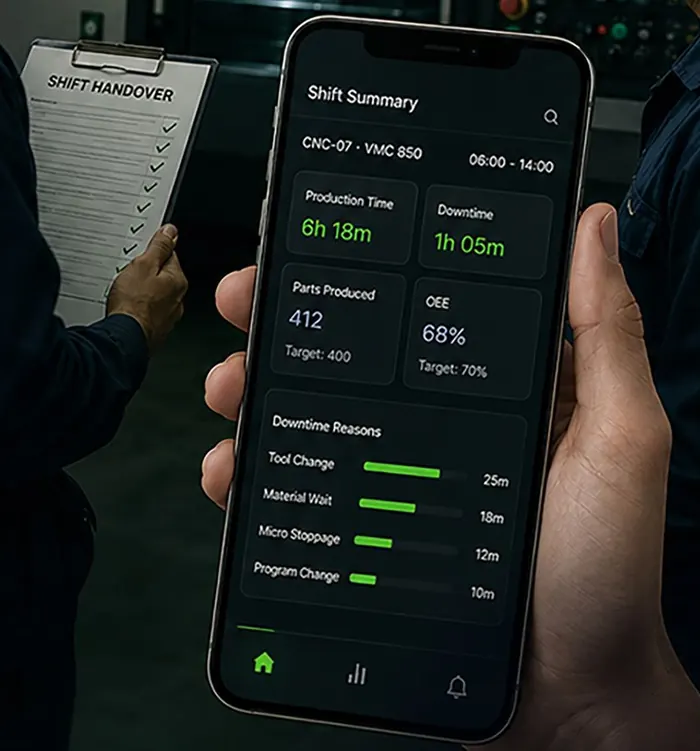
Live machine status
Running, idle or down, with count and rejects, on your phone.

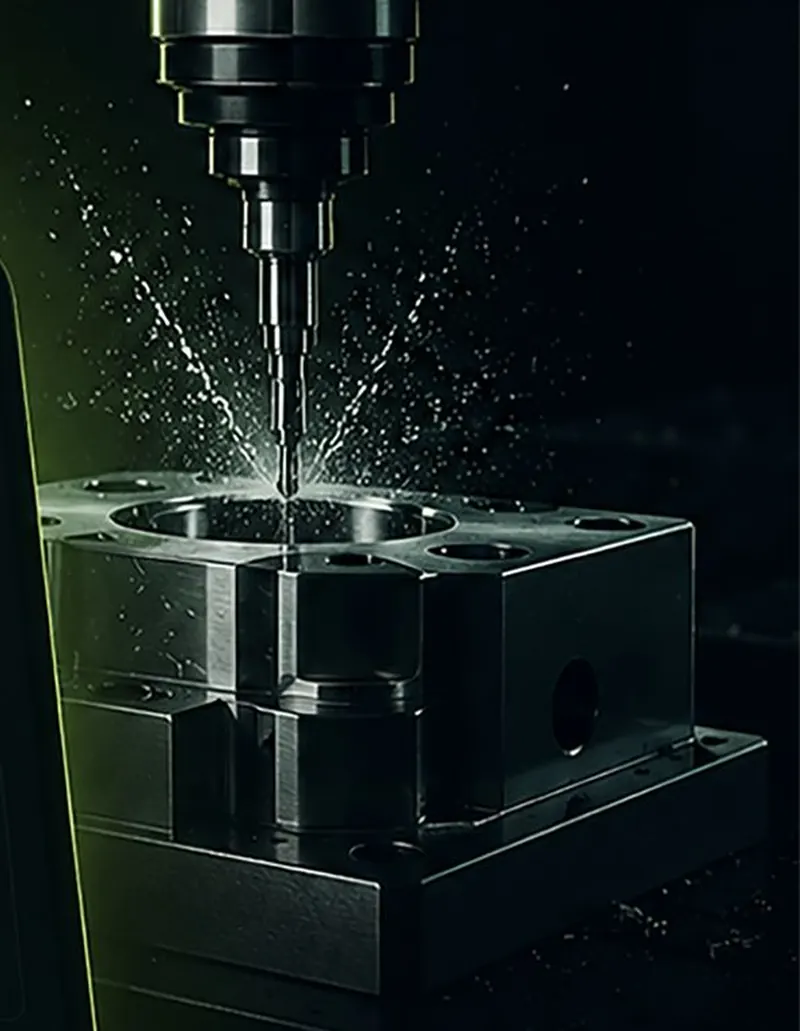
Find the reason behind every stop.
Autobits CNC machine downtime tracking records when each machine stops, for how long and why, then ranks the reasons so you know which loss to fix first.
In short
CNC machine downtime tracking records every time a machine stops, how long it stays stopped and the reason. Autobits captures each stop from the machine automatically and shows it on a timeline and in loss charts, so you can fix the biggest loss first.
Last updated:
Works with Fanuc, Siemens, Mitsubishi and Haas controllers. Live within 1 to 2 days. Installation included. Real-time visibility across 100+ CNC machines.
A machine waits a few minutes for a tool, a few more for an inspection and longer for the crane. No single stop looks serious, but over a month they add up to enough to decide whether your shop makes money.
01 / Anatomy of a lost shift
The moment a machine stops, the time is logged. Nobody has to remember to write it down.
Even short waits for material, inspection or an operator are timed and counted.
Each stop carries its reason, so breakdowns, setups and waits are counted separately.
Downtime reasons are ranked, so your first fix is the one worth the most.
Top downtime reasons
02 / Tools for less downtime
Running, idle or down, with count and rejects, on your phone.
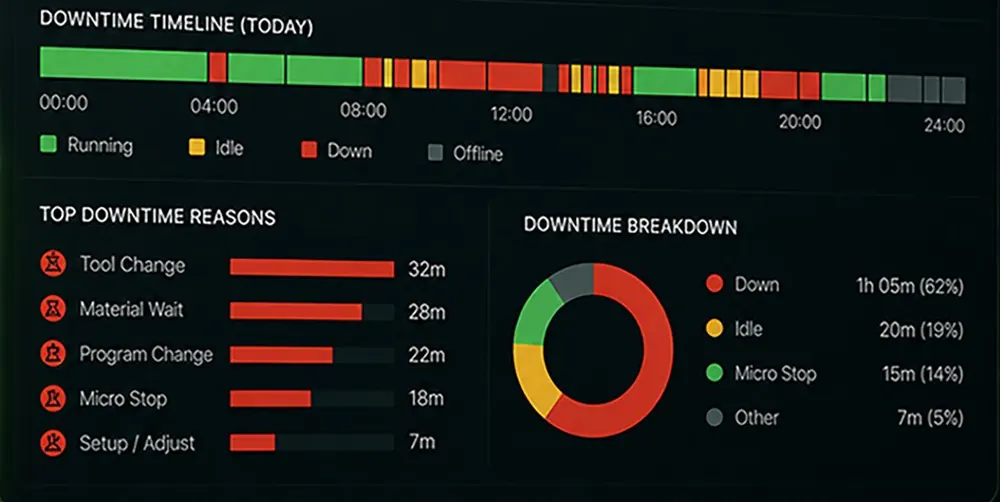
Every stop, its length and its reason, on one timeline.
OEE updates as stops are logged, machine by machine.
Graphs that rank where time is lost.
Reminders before a breakdown stops a machine.
Tool condition and remaining life, before it fails.
Know when a machine's performance drops.
Cycle, loading and cutting time, so slow cycles show.
Rejected parts counted beside output.
See whether stops are falling month by month.
Production reports made for you, every shift.
Lock a machine until a target is met.
Old, new and mixed controllers together.
Status and 50+ parameters on your mobile.
Built around the losses you want to track.
03 / Price of a stop
Move the sliders to match your shop. Idle time is valued from your own numbers, at 8 hours per shift and 300 working days a year.
Estimate only, based on what you enter. It is not a promise of savings.
04 / Start tracking
You buy one industrial PC. It can connect many machines.
We set up the software and connect your machines. Installation is included.
Every stop and its length is recorded from day one.
Tackle the biggest loss first, then check the numbers each week.
05 / Pricing
Not included: the industrial PC, which you buy yourself.
06 / Tracking stops today
07 / Questions
It records every time a CNC machine stops, how long it stays stopped and the reason, and shows it on a timeline and in loss charts.
Yes. Status comes from the machine, so short waits are recorded as they happen instead of being rounded off in a logbook.
Maintenance alerts remind you before a breakdown, and tool monitoring shows tool condition and remaining life.
Yes. Instant alerts tell you when a machine's performance drops.
Yes. Fanuc, Siemens, Mitsubishi and Haas controllers are supported, and older machines can be connected with external sensors.
Within 1 to 2 days once your industrial PC is ready. Installation is included.
Autobits CNC machine monitoring costs ₹5,499 per machine per year (plus GST) in India, $18 per machine per month in the US and most other countries, and €18 per machine per month in Eurozone countries. Minimum 5 machines.
Nothing is charged automatically. If you are satisfied, you renew for the next year. Orders cannot be cancelled or refunded once placed.
Fanuc, Siemens, Mitsubishi and Haas controllers. Older machines can be connected with external sensors. For other brands, talk to us and we will check.
Yes. Your machine and production data is kept secure.
Yes, the dashboard runs in the cloud, so the gateway needs an internet connection to send data. If the internet drops, the Autobits gateway stores the data locally and syncs it to the cloud automatically when the connection returns, so no production data is lost. The gateway can also send data to AWS, Microsoft Azure and other cloud platforms.
Multiply your machine rate by the idle hours you lose in a year, then decide how much of that time you could win back. Compare that value with the yearly cost. The calculator on this page does the sum using your own numbers.
Keep reading: our CNC machine monitoring solution, the full price breakdown, real-time CNC machine monitoring, CNC OEE software, CNC machine data collection, and the free OEE calculator.
Tell us how many machines you run, and our team will call you to set up downtime tracking.